
Sticky Note Board
Organize ideas with sticky notes that have parent-child relationships
Visualize your thoughts with intuitive operations
Organize ideas with sticky notes that have parent-child relationships
Visualize your thoughts with intuitive operations
Create parent-child relationships by simply dragging and dropping sticky notes. Organize your ideas in a hierarchical structure.
Create a canvas for each project and categorize them. Efficiently manage multiple projects.
Full-text search of sticky note content. Quickly find the information you need from a large number of sticky notes.
Automatically sync data across multiple devices. Access the same data on iPhone, iPad, and Mac.
Export sticky note content in Markdown format. Easily migrate to other apps and documents.
Customize sticky note colors, button display settings, appearance mode, and more to suit your needs.
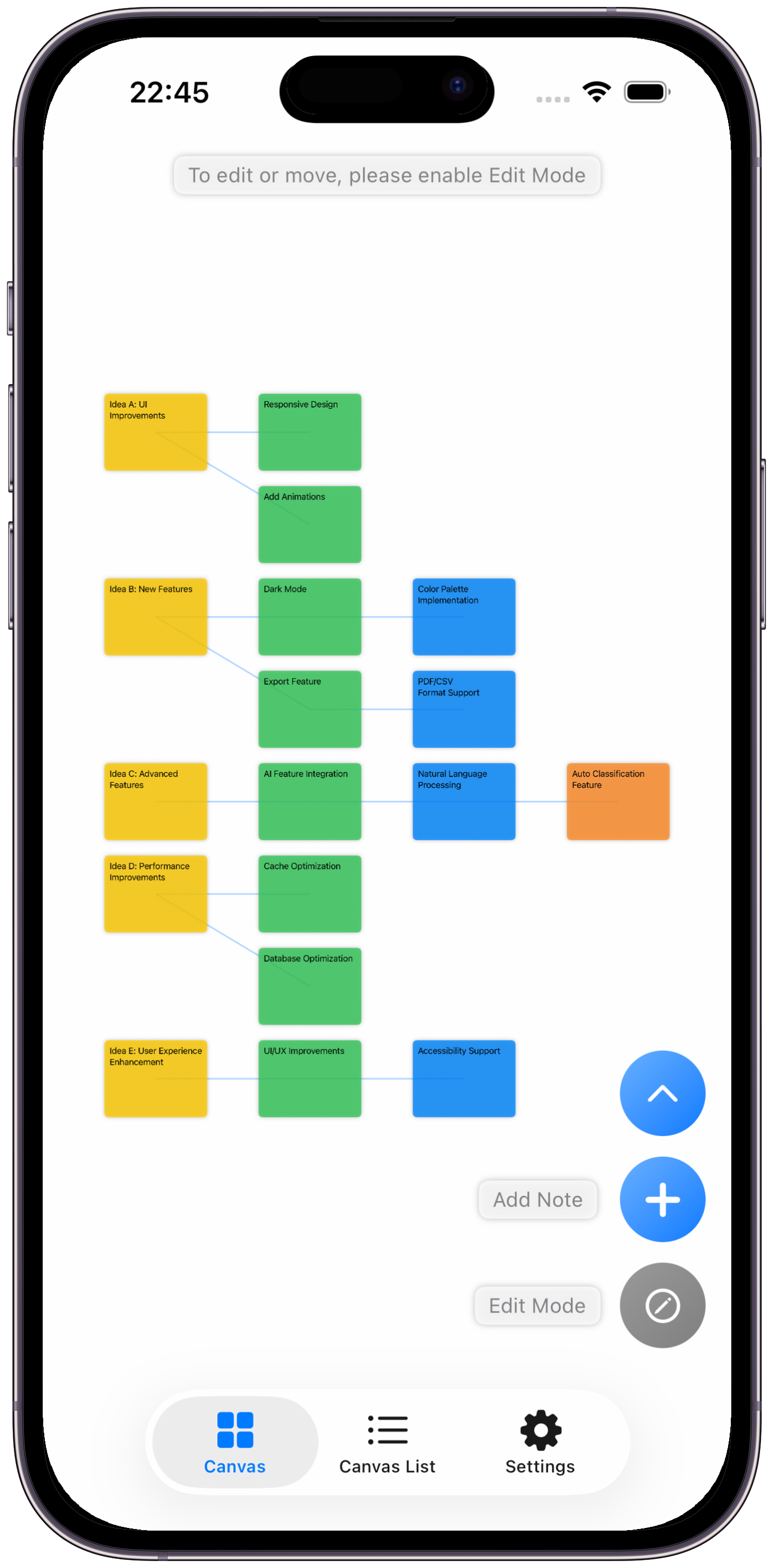
Main Screen - Arrange sticky notes freely
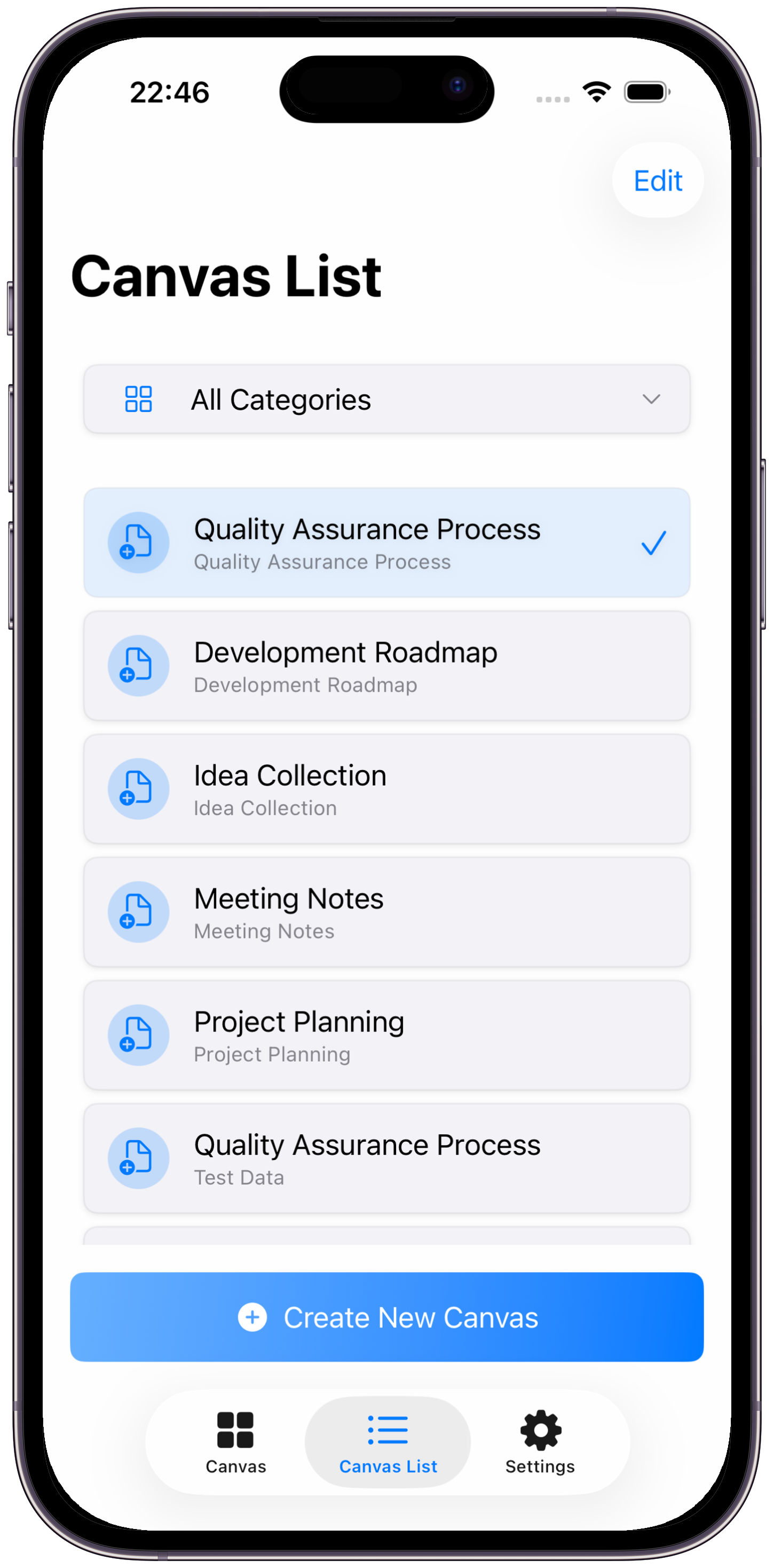
Canvas List - Manage projects
Tap the "+" button in the bottom right to add a new sticky note.
Turn on edit mode and drag and drop the sticky note you want to be a child onto the parent sticky note.
Tap the organize button to automatically arrange sticky notes in a hierarchical structure.
Search for sticky notes or export them in Markdown format.
Organize your ideas with Sticky Note Board
Sticky Note Board respects user privacy and strives to protect personal information.
No information is collected.
All data is stored locally on the device and is not sent to external servers. If the user enables iCloud sync, data is synced through Apple's iCloud service. This sync only occurs between multiple devices where the user is logged in with the same Apple ID. Data stored in iCloud is managed according to Apple's privacy policy.
We do not share collected information with third parties.
If you have any questions about the privacy policy, please contact us via Contact.
If you have any questions, bug reports, or feature requests, please feel free to contact us.
If you discover any bugs or issues in the app, please send details to the email address above.
We welcome feature requests. We value feedback from our users.